express-basic-ts Template
A minimal Express.js backend template in TypeScript with essential setup for quickly starting a server, error handling, and CORS support. Ideal for learning or small projects.
When to Use
- You want a barebones Express server in TypeScript.
- Minimal setup for TypeScript projects without complex folder structures.
- Perfect for quick prototypes or small backend services.
Installation
Scaffold the template using Servest:
Loading code snippet…
This will create a new project in the servest-project folder with all required files.
For detailed installation instructions, see the create-servest guide
Run Commands
Start in development mode (auto-reloads on changes using npx)
Loading code snippet…
Start in production mode
Loading code snippet…
The server will run on the port specified in .env (default: 3000).
Folder Structure
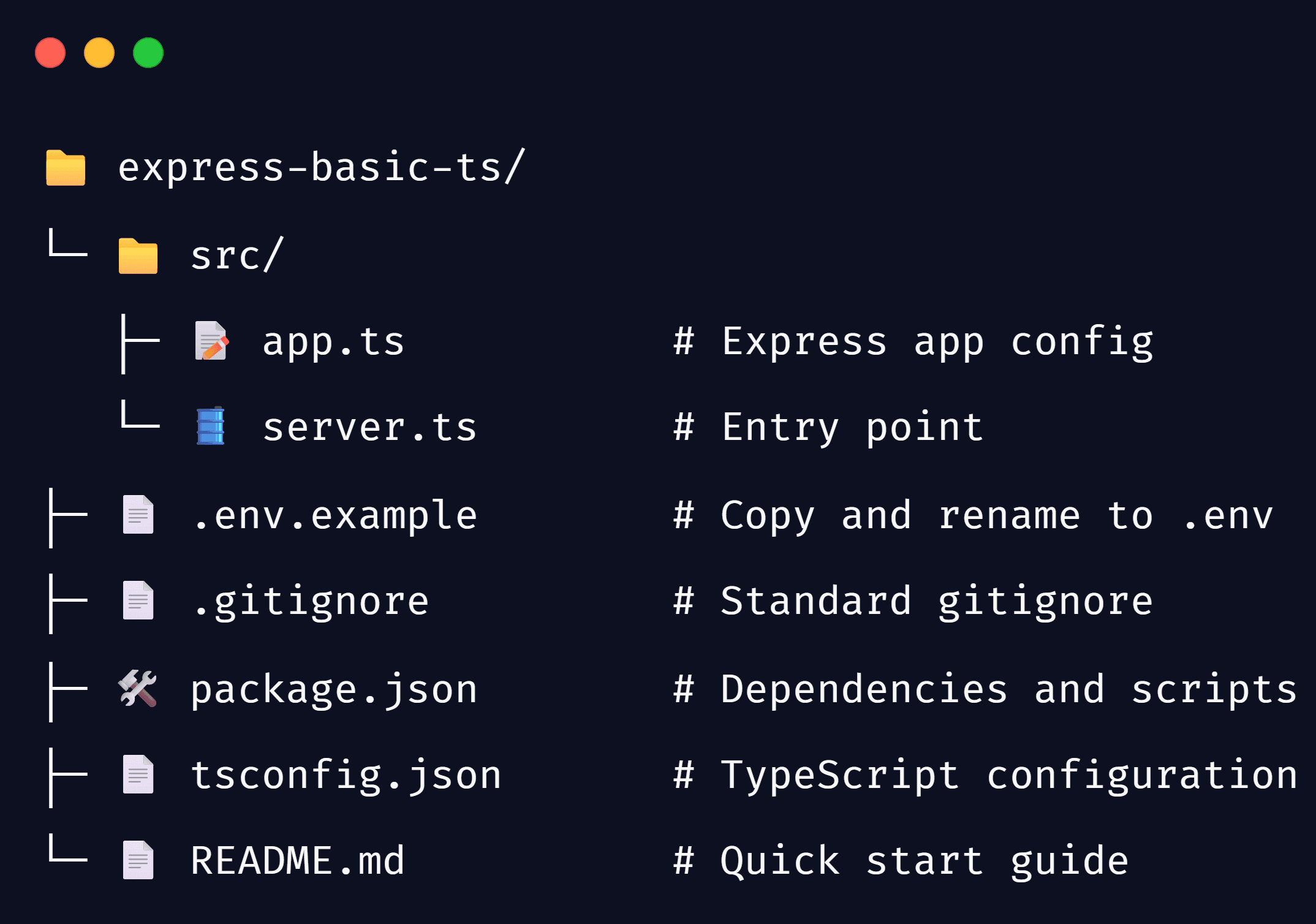
app.ts
Loading code snippet…
server.ts
Loading code snippet…
Pre-installed Packages
| Package | Purpose |
|---|---|
| express | Core server framework |
| cors | Enable Cross-Origin Resource Sharing |
| express-error-toolkit | Handles All Express Errors |
| http-status-toolkit | Standard HTTP status codes |
| @types/cors (devDependency) | Type definitions for CORS |
| @types/express (devDependency) | Type definitions for Express |
| @types/node (devDependency) | Type definitions for Node.js |
| ts-node (devDependency) | Execute TypeScript files directly |
| tsx (devDependency) | Run TypeScript files with modern Node.js |
| typescript (devDependency) | TypeScript compiler and utilities |
Try It Online
Click the link to open the template in StackBlitz, edit code, and run the server instantly in your browser: